Symbol collection in Inkscape
Posted: August 5th, 2011, 12:15 am
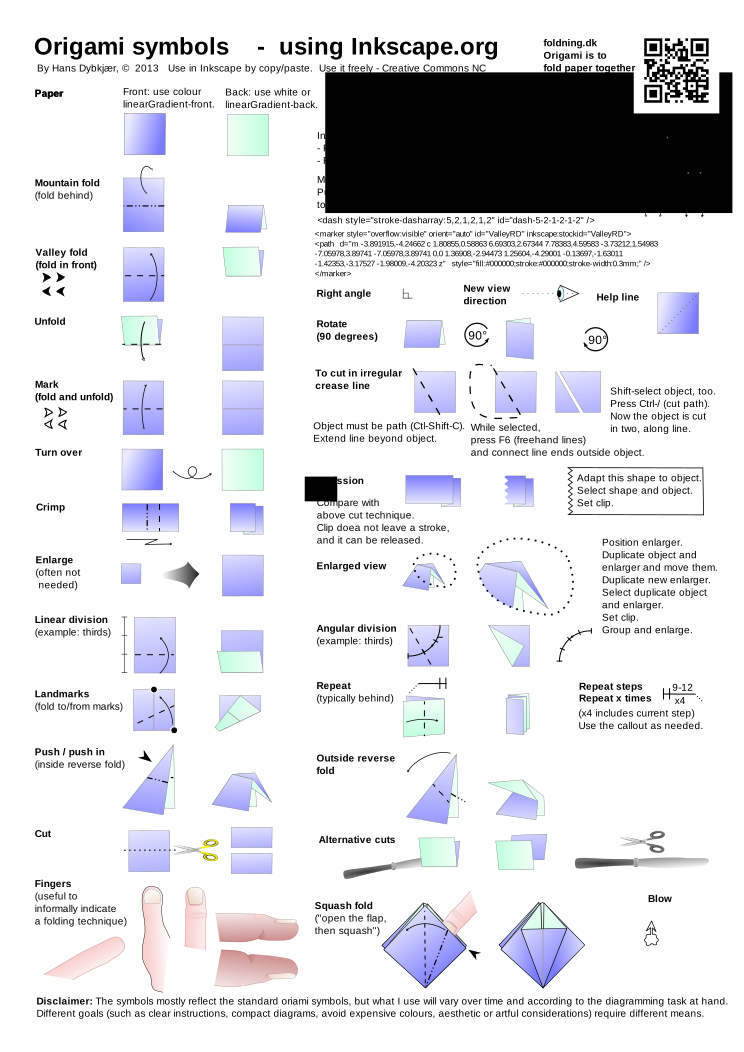
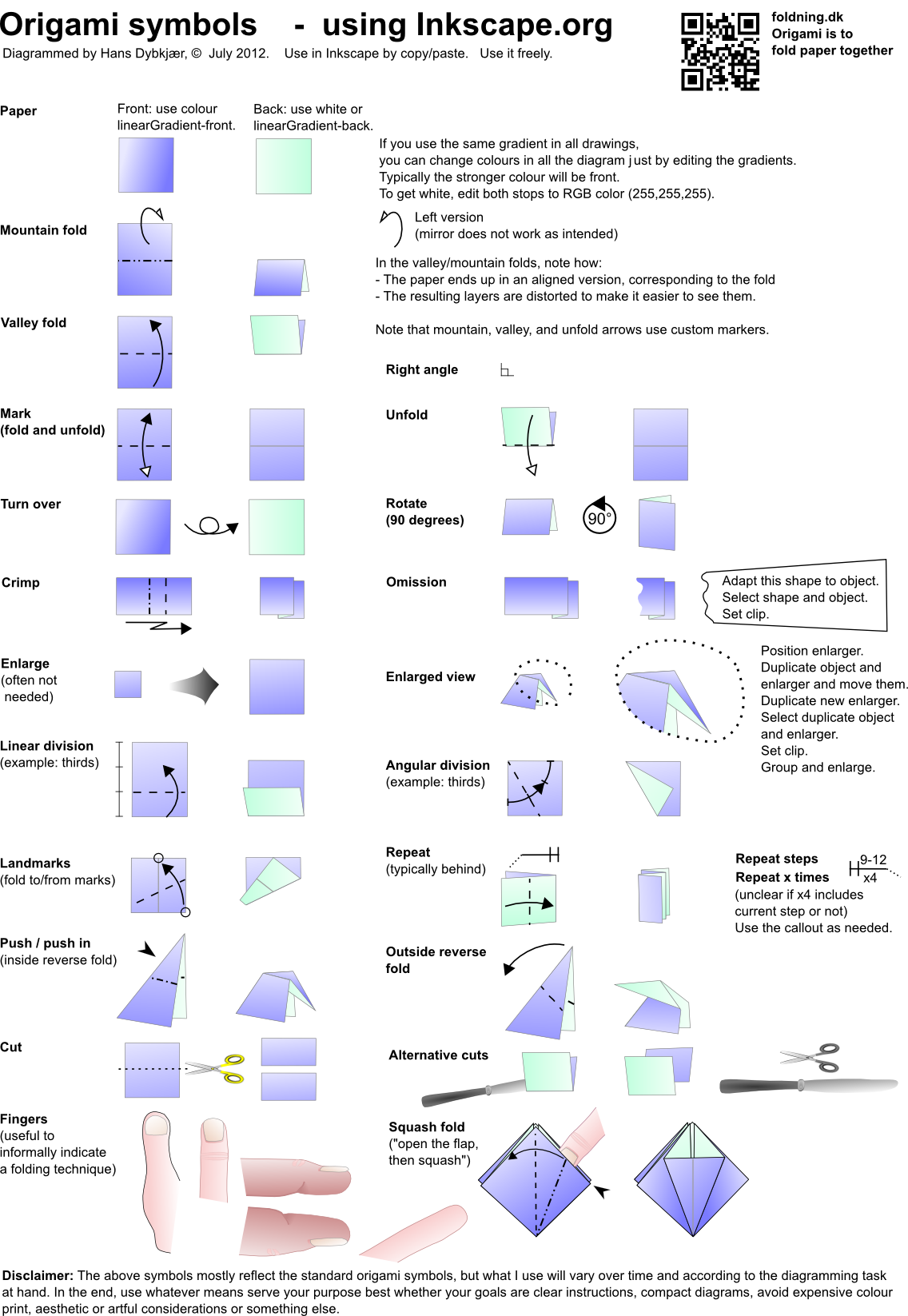
I'm supposed to say something about diagramming and about using Inkscape for this at the BOS Autumn Convention 2-4 September 2011. Hence, and because I find it useful, I've collected a set of symbols I use in my diagramming:
http://papirfoldning.dk/temp/symbols_origami.svg (if for some reason it does not display nicely in your browser, then try http://papirfoldning.dk/temp/symbols_origami.png instead).
You are free to take whatever you find useful from it.
If you have comments, I should be very interested.
More generally, if anybody have pointers to texts on diagramming (philosophy, didactics, drawing techniques, Inkscape, ...), I would be happy to see them. I hope to be able to make my notes public after the convention.
I know of the lists in the 2008-thread "How to diagram your models" in the top of this forum. I know some other sources, but assume I don't.
Best regards,
Hans
http://papirfoldning.dk/temp/symbols_origami.svg (if for some reason it does not display nicely in your browser, then try http://papirfoldning.dk/temp/symbols_origami.png instead).
You are free to take whatever you find useful from it.
If you have comments, I should be very interested.
More generally, if anybody have pointers to texts on diagramming (philosophy, didactics, drawing techniques, Inkscape, ...), I would be happy to see them. I hope to be able to make my notes public after the convention.
I know of the lists in the 2008-thread "How to diagram your models" in the top of this forum. I know some other sources, but assume I don't.
Best regards,
Hans